Turn your image into a QR code.
A pet, a logo, a painting, a photo of your street. The first AI-made versions I tried looked right and didn't scan. This prompt has the AI build a real QR code, blend your image into it, and test it before it hands it over.
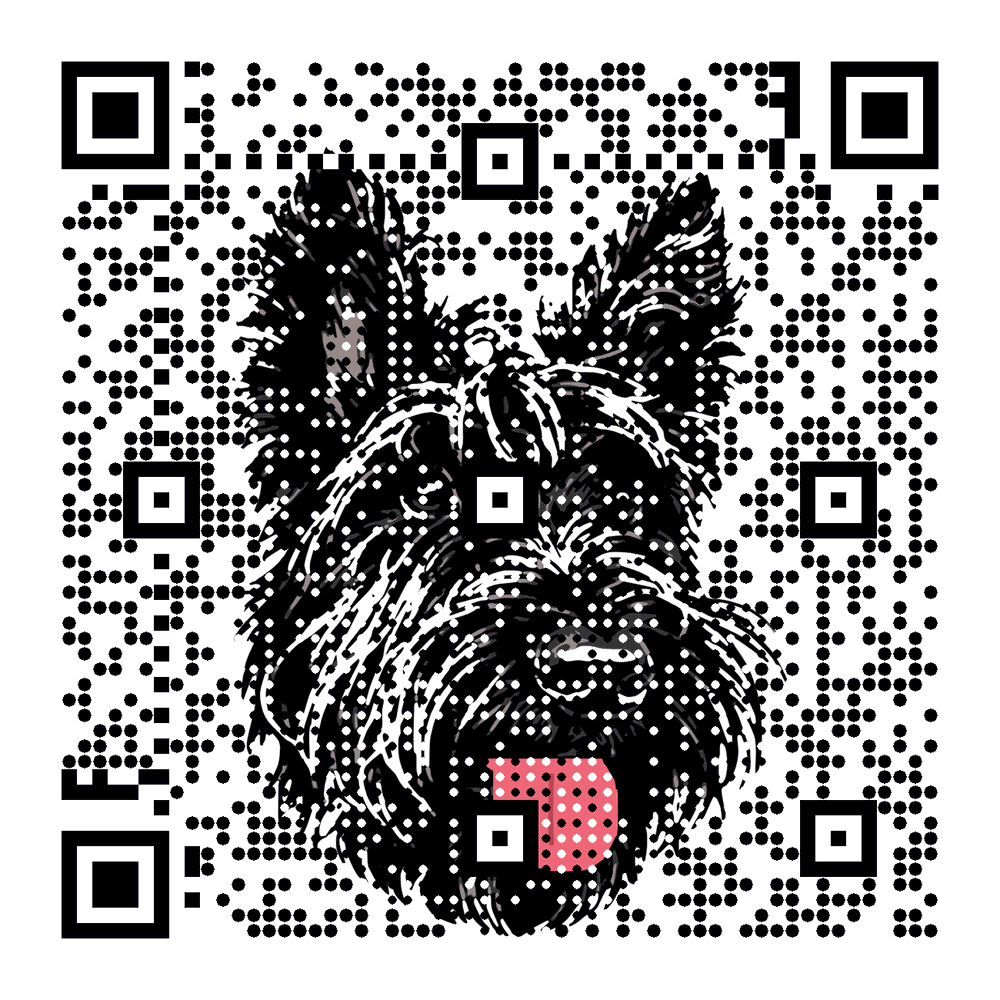
Make me a QR code with my image blended in, and do all of it yourself here in this chat. Don't send me setup steps, and don't draw it as a picture: image models can't reliably draw a QR code that scans. Use your own code tool with the libraries it already has. If you can't run code here, tell me that now and stop.

Goal: a QR code for [YOUR URL] with my image blended in, that still scans on an ordinary phone camera.

1. Generate a real QR code for [YOUR URL] with error correction level H and a quiet zone (white border) of at least 4 modules.
2. Load my image [ATTACHED]. Crop it square and raise the contrast.
3. Blend: draw each module as a dot about 60% of its size over the image, dark modules dark and light modules light, so the image shows between the dots. Leave these exactly as generated, with no image behind them: the three corner squares, the alignment squares, the timing lines, the format information and the white border.
4. Test: decode the result with whatever QR decoder your code tool has. Also decode a copy shrunk to 300 px and a slightly blurred copy. If any decode fails or returns anything except [YOUR URL], make the dots bigger or the contrast stronger and try again, up to 10 times.
5. Give me the PNG, and tell me which decoders you used and what each returned. If it never passes, say so and give me the plain QR code instead. Never tell me it scans unless your own test decoded it.
Paste it into your chat assistant, attach your image and swap in your link. Why code: an image model draws something that looks like a QR code. Code builds one that is one, then checks it.
Will it work in my AI?
It needs an assistant that can run code inside the chat. Several of the big ones can, usually on a paid plan or with a setting switched on; check yours.
An assistant that can only chat or draw may still try. It will probably give you something that looks like a QR code and doesn't scan, or a plain one with no picture in it. If it says it can't run code, that is the honest answer.
Nothing here is promised to scan. Point your phone at the result before you print it, and say what happened if it didn't.